
 Code Scanner
This article introduces SonarQube code quality management platform integration in the Zadig system.
# Generate API Token in SonarQube System
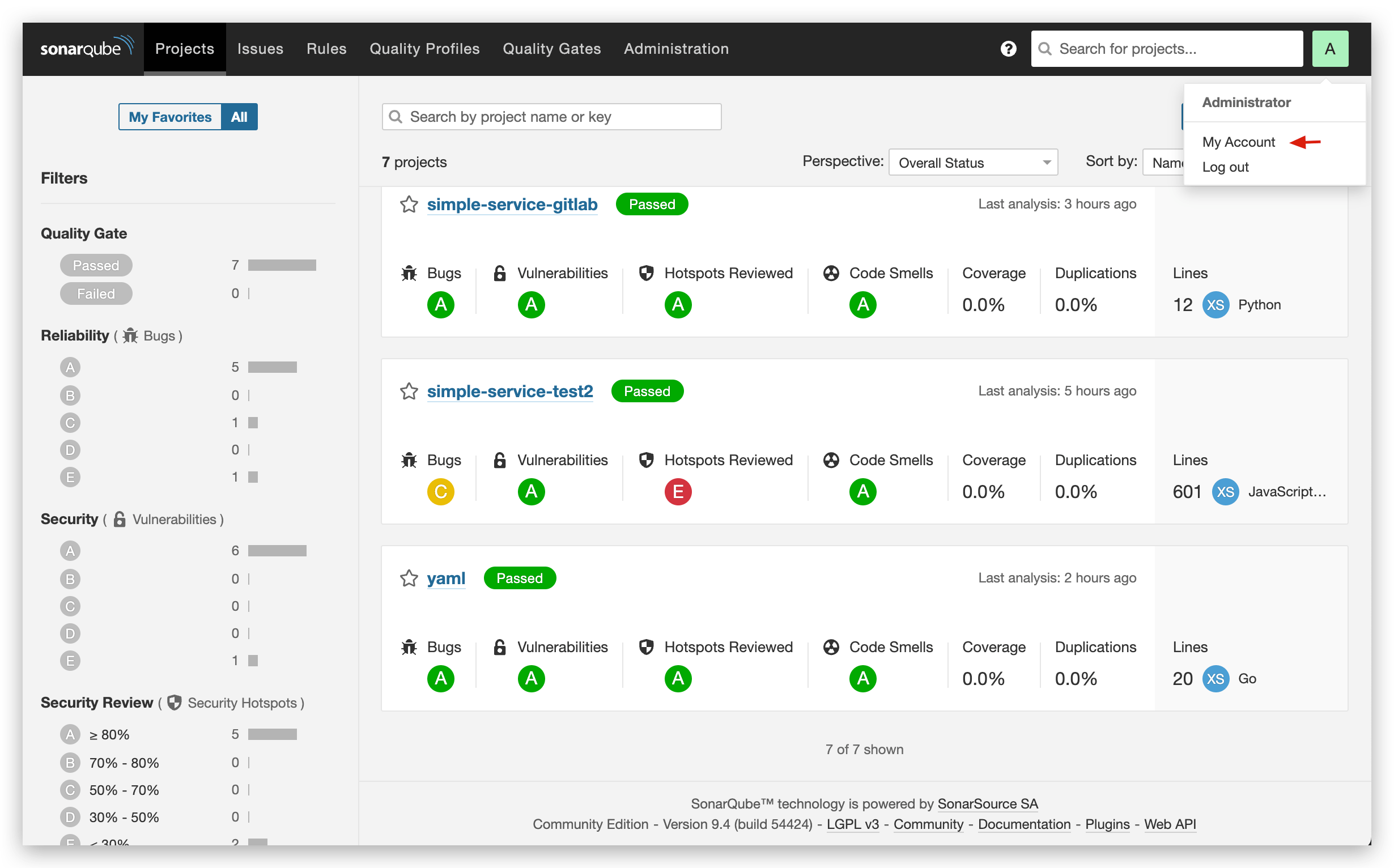
Log in to SonarQube -> Click on the account avatar in the upper right corner -> My Account.
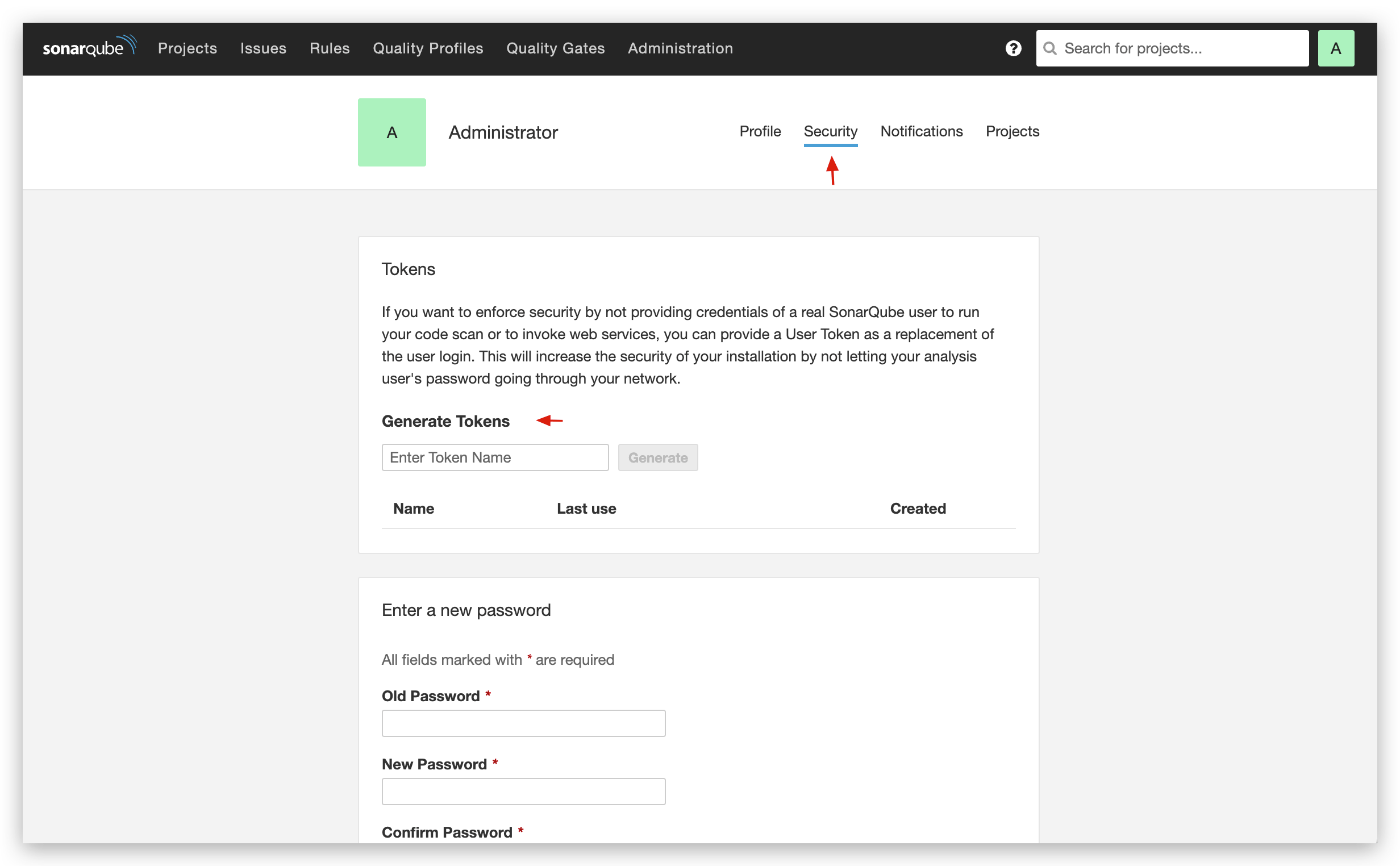
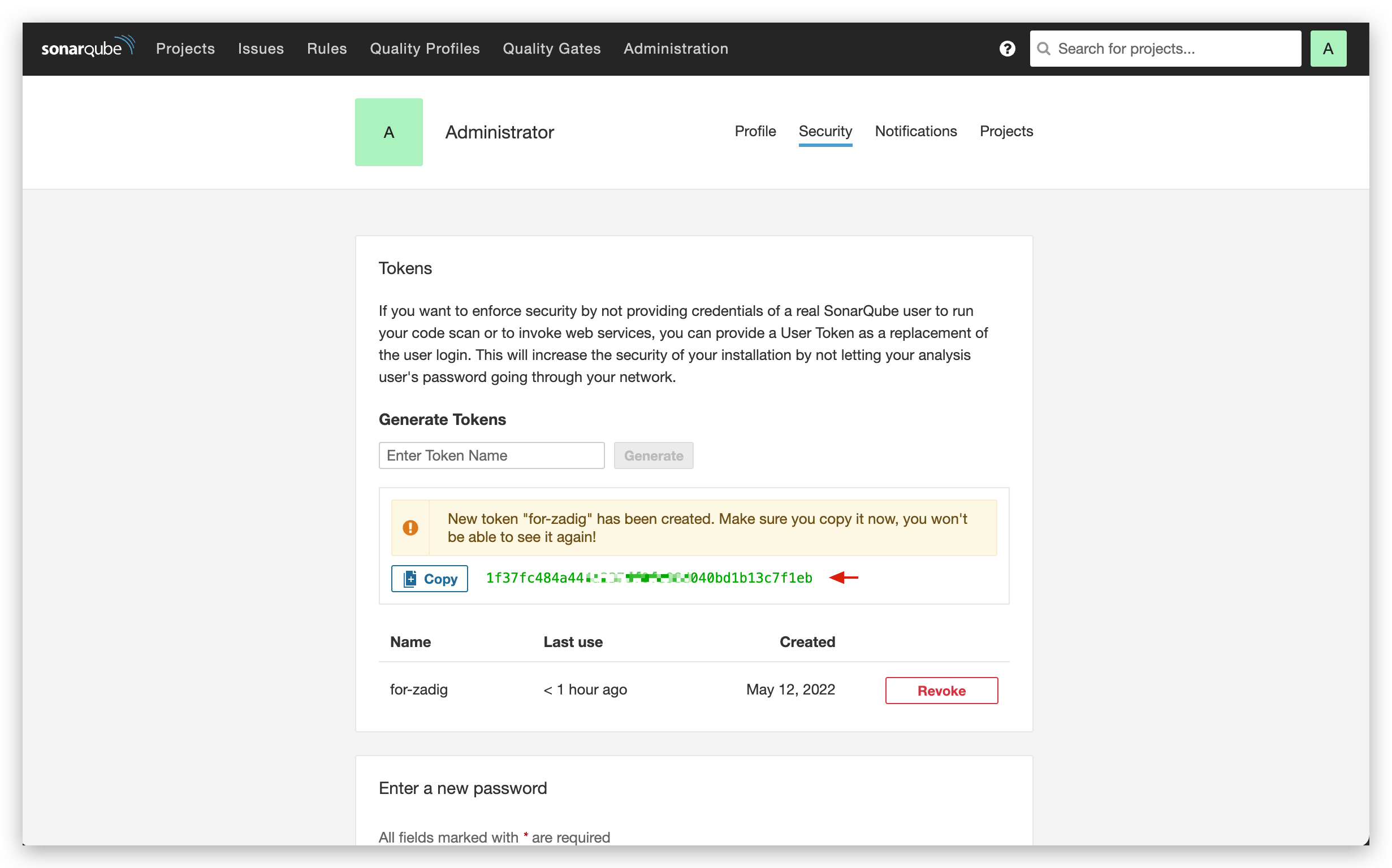
Switch to the Security page, fill in the Token name in Generate Token, and click the Generate button on the right.
# Integrate SonarQube in Zadig
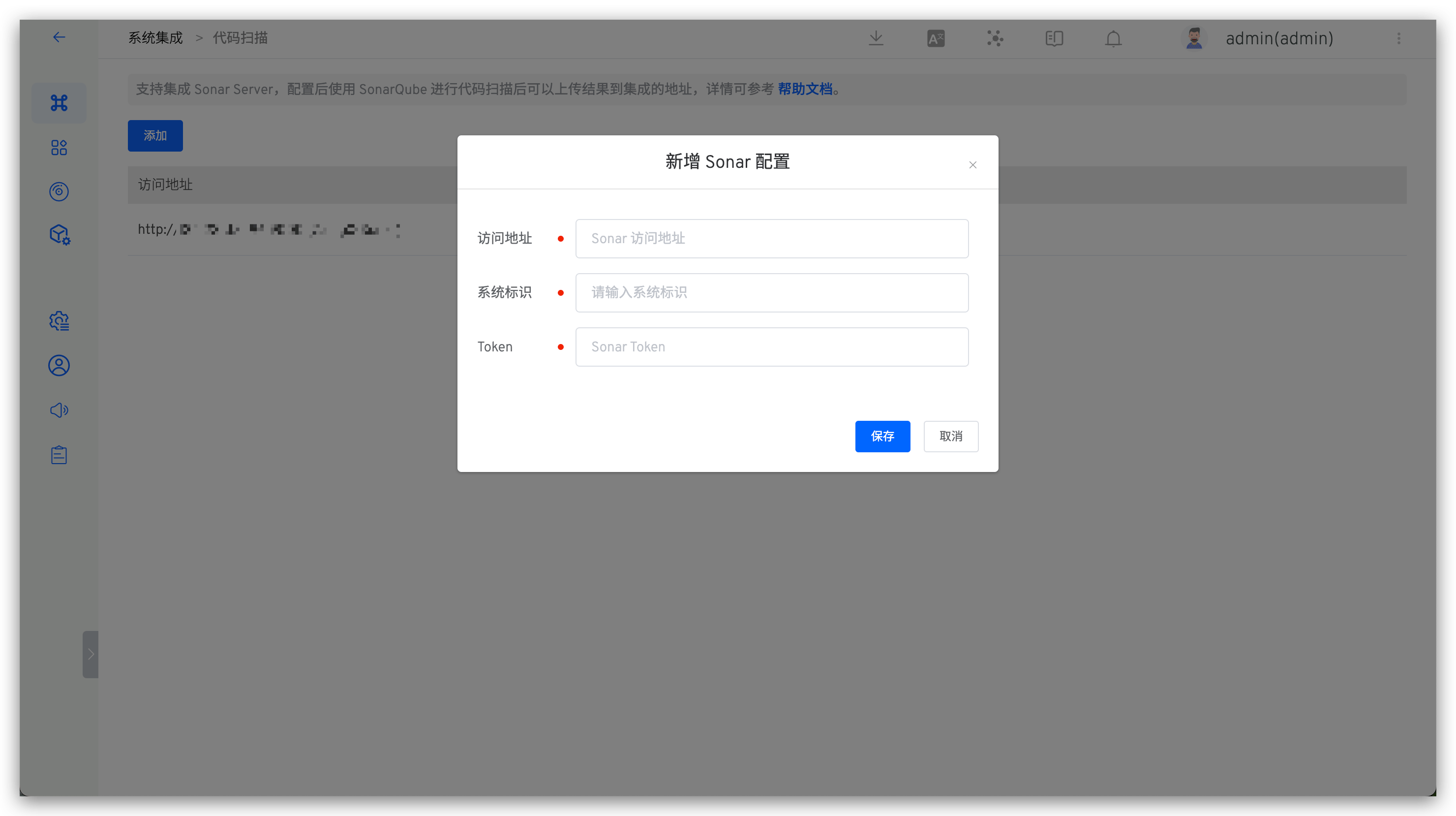
In Zadig, sequentially access System Settings -> Integrations -> Code Scanner, and add the relevant information of SonarQube as shown below.
Parameter description:
Address: The SonarQube system address, for example,https://sonar.koderover.comIdentifier: Customized to facilitate quick identification in the Zadig system; the system identifier must be uniqueToken: The API Token created in the previous step

